
Why does a single price not show the total cost of a POS solution?
When comparing POS system prices, the first figure you usually notice is the software subscription, the price of the POS terminal or the payment terminal rental. These figures matter, but each describes only one part of the solution. Some costs are visible immediately, while others become clear only as the solution is planned in more detail.
For example, two POS solutions with similar monthly fees can have very different total costs. One price may include the POS terminal, printer, customer display and configuration, while the other covers only the software or main device. Hosting, payment terminal rental, transaction fees, training and data migration may be charged separately.
This is why it is worth comparing the same scope rather than a single advertised figure. Which devices and services are included? What must be purchased up front, what is charged monthly and which fees depend on sales turnover? Without these answers, it is difficult to assess either the initial cost or the ongoing cost of operating the solution.
What is Esrap's POS solution configurator?
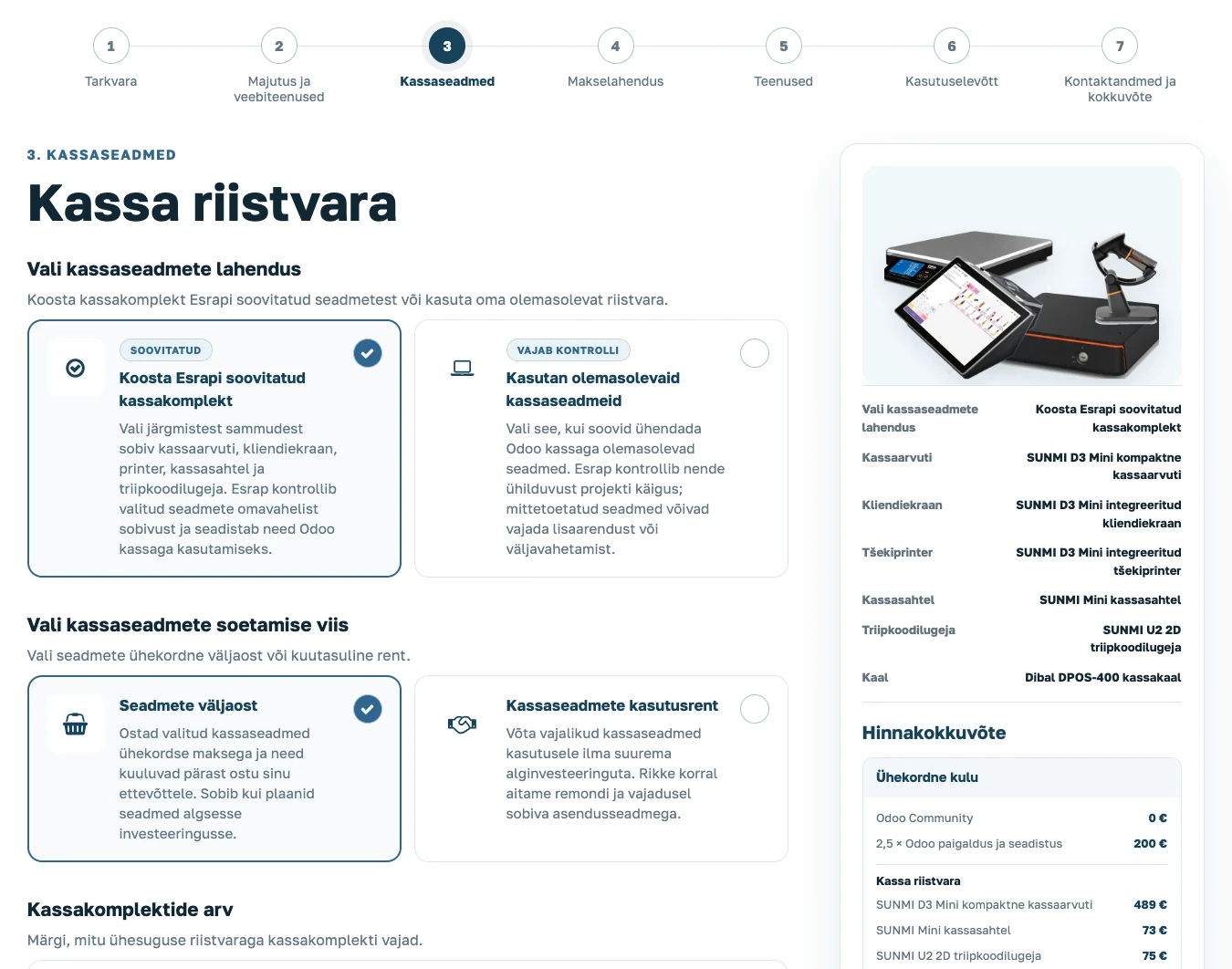
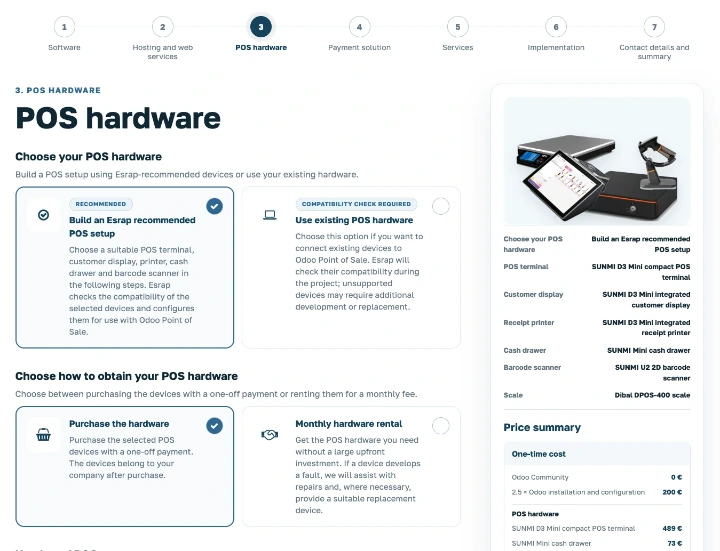
Esrap's POS solution configurator is an online tool that lets you build an Odoo POS solution for your business step by step. As you make selections, the solution summary, image, one-off costs and recurring costs are updated. You do not need to begin with a sales call or send several separate enquiries to get an initial view of the price.
It does not work like a conventional online shop where unrelated products are added to a basket. With a POS solution, one choice often affects the next: the POS terminal model determines which peripherals can be used, the payment solution may require additional hardware, and choosing between purchase and rental changes how the costs are distributed.
The result is a summary of the selected solution and an initial PDF quotation. Before speaking to a consultant, you can try different options and see how the price is affected by the number of devices, the Odoo edition and billing method, hosting and services.
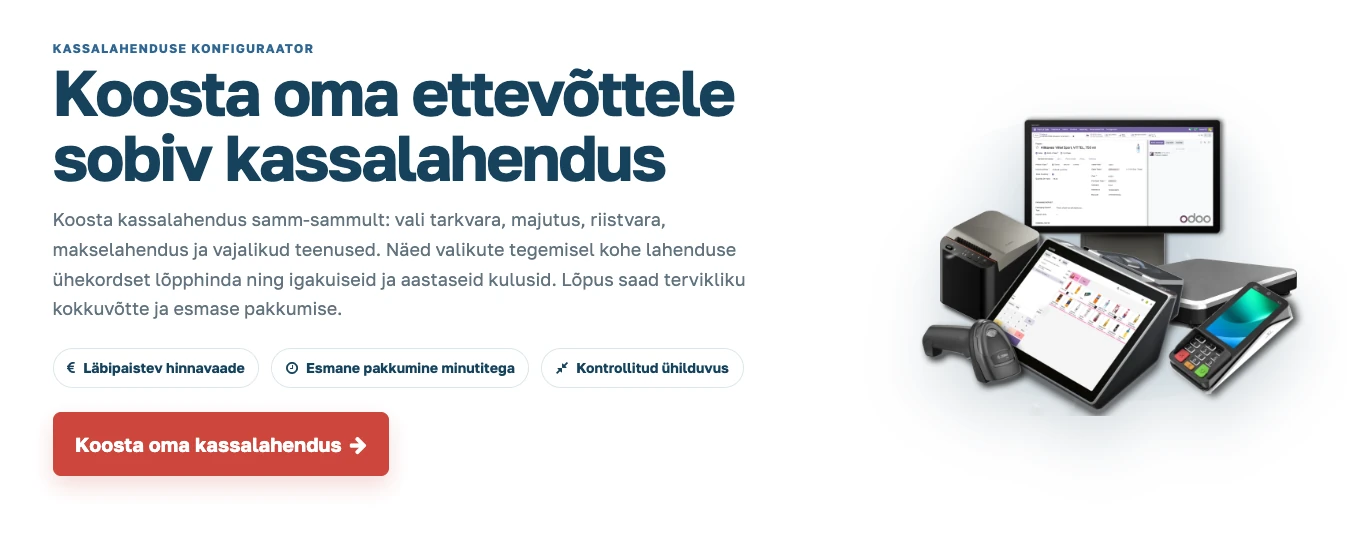
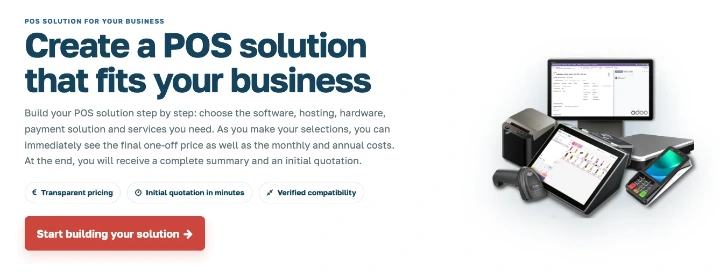
What choices can you make in the configurator?
A POS solution is more than a POS terminal and software. It also includes hosting, peripherals, payment acceptance, implementation and ongoing support. Each of these choices affects both the initial cost and the monthly expenditure.
- Software and hosting. Choose Odoo Community or Enterprise, the required back-office users, hosting environment, public address and email solution.
- POS hardware. Build an Esrap-recommended POS setup or indicate that you want to use existing hardware. You can choose the number of POS setups and the required peripherals.
- Purchase or rental. The selected POS devices can be purchased outright or rented for a monthly fee. Rental helps avoid a larger initial investment in hardware.
- Payment solution. Choose a payment terminal integrated with Odoo or continue using your existing payment solution.
- Services and support. Specify whether you need a support agreement or support on demand, and whether the solution requires data imports, training, integrations or custom development.
- Starting point for implementation. Specify whether you are starting with a new solution, replacing an existing POS system, extending an Odoo environment or need advice first.
The hardware selection is deliberately limited to devices and setups verified by Esrap. If you want to use existing POS devices, their suitability will be assessed during the project. Additional development or replacement of some devices may be required.
You can also indicate a future need for an Odoo website or online shop. Their scope will be defined separately, and website implementation is not added automatically to the POS solution quotation.
Why choose Odoo as the foundation for a POS solution?
Odoo Point of Sale does not need to remain a standalone POS application. It can use the same products, prices, customers and stock information as the company's other Odoo applications. A sale made at the till reduces stock, and the customer's purchase history does not remain in a separate system.
For a single sales location, this keeps daily work simpler. As the business grows, new tills, warehouses, an online shop or other sales channels can be added without every new step necessarily requiring separate software. Odoo Community and Enterprise provide different functionality and licensing models; the right edition depends on the company's needs.
Odoo can be extended with add-ons, integrations and custom development. Esrap develops reusable Odoo add-ons from recurring local market needs, supports Esrap-recommended POS hardware, and publishes selected modules both on Odoo Apps and in Esrap's own online shop. This allows the same solution to be used by more than one customer and reduces the need to commission the entire development from scratch each time.
If the company needs a separate payment, inventory, accounting or data exchange integration, the requirement can be clarified after the initial configuration has been prepared. Esrap assesses technical feasibility, the amount of work and the project scope, and verifies that the agreed solution meets the mapped local requirements. An initial estimate for custom development is sent after the initial quotation.
One-off, monthly and annual costs shown separately
A low monthly fee does not always mean a low total cost, and a larger initial investment does not necessarily mean a more expensive solution. Costs are therefore grouped according to when they arise and who invoices them.
- One-off costs may include purchasing hardware, installation, configuration, implementation, data imports and training.
- Monthly costs may include hosting, a support agreement, hardware rental or payment terminal rental.
- Annual costs arise, for example, when a licence or service is billed annually.
- Third-party fees include licences from Odoo or an email service provider, as well as monthly and transaction fees charged by a payment service provider.
For example, a shop with one till may prefer to purchase its equipment and accept a higher one-off cost. When opening three tills, rental may be more practical because it reduces the initial expenditure. As you change the selections, you can immediately see how the number of devices and the acquisition method change the cost breakdown.
What happens after you submit the configuration?
After submitting the configuration, you will receive a confirmation email and an initial PDF quotation within a few minutes. It summarises the selected solution, one-off and recurring costs, and includes a link for reopening the configuration. An Esrap consultant will then review the selections and help you move towards a confirmed solution.
- We clarify and confirm the configuration. We check whether the selections are suitable, make recommendations where needed, and assess the initial scope of any integrations and custom development.
- We explain the solution and alternatives. We describe the benefits of Odoo, Esrap's selected hardware and the related solutions. Where useful, we provide a demonstration or suggest alternatives for comparison.
- We assess the use of existing hardware. If you want to retain your current devices, we assess the technical feasibility, value and time required to integrate them.
- We confirm the scope and schedule. We agree the exact project content and schedule, provide a revised final quotation where necessary, and begin the project after it has been approved.
If the requirements are clear and extensive integrations or custom development are not needed, an Odoo-based POS solution can be ready to use within a few weeks, supporting both sales and the day-to-day management of the business. The exact schedule depends on the project scope, data readiness, equipment delivery times and agreements between the parties.
Who is the configurator for?
The tool is intended for businesses with a physical sales location that want an initial overview of the scope and cost of a POS solution. It can be used both to plan a new solution and to assess an alternative alongside an existing system.
It is particularly useful if you:
- are opening a new sales location or adding new tills
- are considering alternatives to your existing POS system
- want to add POS sales capabilities to an existing Odoo solution
- need POS hardware or integrated payment terminals
- want an initial price indication for an alternative solution without a sales meeting
The tool helps retailers, cafés, restaurants, kiosks, service businesses and other companies with physical sales locations quickly understand the available POS solution choices and costs so they can make a more informed decision.
Next step: build your POS solution
If you want to understand what makes up the price of a POS solution before a sales call, start with the configurator. Build a solution around your needs, review the breakdown of one-off and recurring costs, and request an initial quotation based on your selections.
After you submit the enquiry, Esrap checks whether the selections are suitable and helps clarify the questions that an automated configuration cannot resolve on its own.
Open the POS solution configurator and create an initial cost estimate
Sources
- Odoo: Point of Sale documentation
- Odoo: Point of Sale features
- Odoo: Community and Enterprise editions
- Odoo: Odoo Apps marketplace