
A customer can place an order in an online store in a few minutes, but withdrawing from a contract is still a manual process in many stores: find the right email address in the terms, download a form, write down the order number, wait for confirmation and hope the request reaches the right person. For the customer, that is inconvenient. For the merchant, it means withdrawal requests end up in emails, contact forms and manual notes instead of staying next to the order itself.
The new EU withdrawal function requirement brings this topic much more clearly onto the table for online stores. The principle is simple: if a consumer enters into a contract through an online interface, they must also have a simple way to withdraw from it in the same digital environment.
The Estonian implementing law enters into force on 1 September 2026, but the EU-level application date is 19 June 2026, so it makes sense to have the withdrawal function technically ready before the summer. Each online store still needs to review its legal texts, exceptions and return rules according to its own terms. The technical workflow can, however, be prepared early: where the customer sees the withdrawal option, how they submit the request, what confirmation they receive and where the request moves next in Odoo.
What does the withdrawal button requirement mean in practice?
For an online store owner, the new requirement is not only about adding one button to the footer. The whole workflow between the customer and the business needs to be thought through.
On the customer side, the withdrawal option must be clear and easy to find. Once the customer has placed an order, they should be able to see how to submit a withdrawal request for that specific order or purchase reference. The form must collect enough information for the merchant to identify and process the request. After submission, the customer should receive confirmation that the request has been received.
On the business side, the request needs to land somewhere where it can actually be handled. If it arrives only in a general inbox, several questions appear quickly: which order is it linked to, is the product eligible for withdrawal, is the deadline still valid, did the customer receive confirmation, who is handling it and what is the current status?
A good online store workflow should help answer at least these questions:
- which order and customer the withdrawal request relates to;
- which order lines the customer wants to withdraw from;
- whether the product or category is eligible, excluded or needs separate review;
- whether the customer received confirmation of the submitted request;
- who in the company is processing the request;
- what status the request is currently in.
For example, the customer may want to withdraw from only one order line, not the whole order. In that case, the online store needs to collect enough detail so that the company does not accidentally process the wrong product, the wrong quantity or the full order.
It is also important to understand the boundaries. A withdrawal button does not mean an automatic refund, and it does not mean that every product must be accepted back without checking the terms. It is the workflow for submitting the customer’s withdrawal request. The company’s internal review, return handling, warehouse or RMA process and refund still need their own clear process.
How does the workflow come together in Odoo?
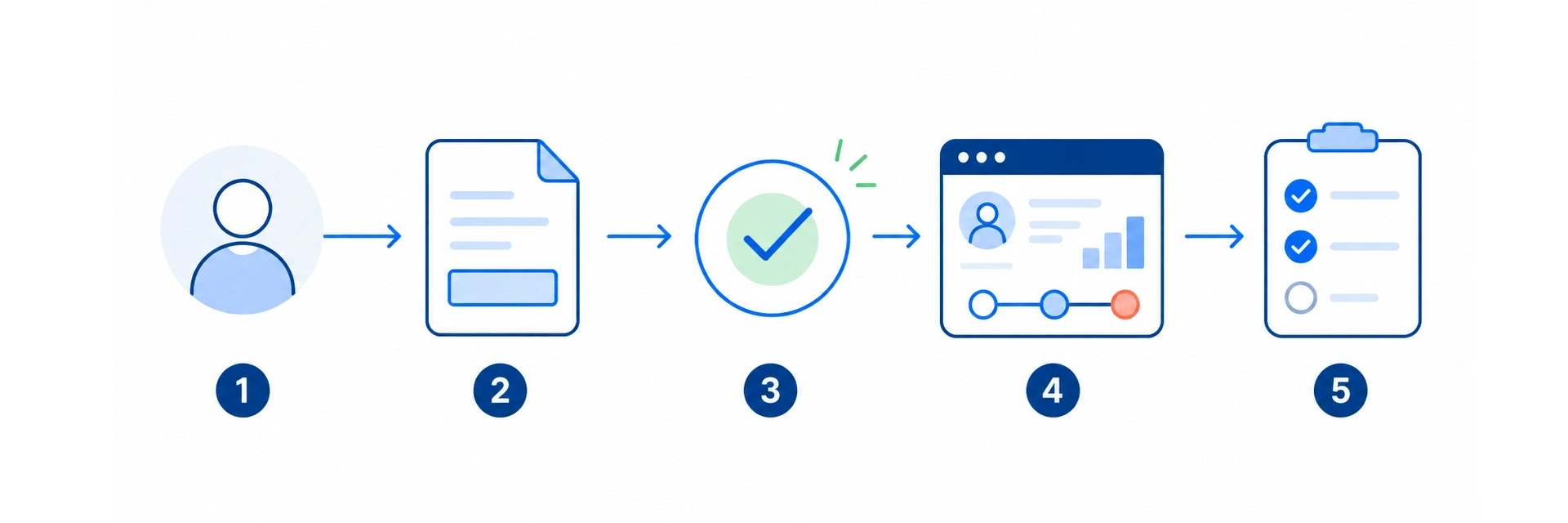
If the online store uses Odoo, it makes sense to bring the withdrawal request to the same order that the customer is referring to. That way the request does not remain a separate email; it moves together with the order, customer information and the company’s internal handling process.
For this purpose, Esrap has an Odoo eCommerce add-on: Odoo eCommerce contract withdrawal requests. It is intended for B2C online stores that want customer requests to reach the order and the sales team’s workflow in Odoo.
The solution covers:
- a withdrawal button on eligible B2C online store orders in the customer portal;
- a public withdrawal form on the website when the customer does not have the portal link at hand;
- withdrawal quantities selected by order line;
- product and category level withdrawal rules;
- separation of eligible, excluded and conditionally reviewable products;
- review of withdrawal requests on the sales team’s workspace;
- automatic confirmation email to the customer;
- a customer-visible note in the order communication history;
- linking a public form request to the correct sales order;
- storing the request source, customer contact details, order reference and necessary technical information.
The practical value is not only about meeting the requirement. The bigger value is that the withdrawal request does not remain a separate email. It reaches a workflow where the sales team can see it, link it, review it and process it further.
What should be considered before implementation?
Before enabling the technical solution, it is worth doing a short workflow review.
Start with products and services. Not all goods and services may be treated in the same way, and exceptions must be described correctly in the merchant’s terms.
Then agree who handles withdrawal requests. When a request reaches the sales team’s workflow in Odoo, it should be clear when it is taken into review, when it is accepted, when it is rejected and when it is marked as processed.
Customer communication deserves a separate look. The confirmation should be neutral and clear: the request has been received, but this does not yet mean an automatic refund or final decision. If the company has a separate return guide, the customer should be able to find it easily.
Finally, test the route from the real customer view. For example, place a test order, open the order in the customer portal and check whether the withdrawal request reaches the correct order in Odoo. Checking only from the administrator view is not enough, because the requirement is specifically about the customer’s ability to submit the request simply and clearly.
Summary
The new withdrawal function requirement is not just a formal website change. It affects customer trust, online store transparency and internal work organisation. If withdrawal requests move through emails and manual spreadsheets, it is difficult to ensure that every request is linked to the right order, customer and processing status.
For an Odoo online store, it makes sense to bring the withdrawal request to the place where the sales order and customer communication already sit. Esrap’s Odoo add-on helps cover the portal withdrawal button, public form, customer confirmation and internal Odoo process. Legal texts and company-specific terms still need to be reviewed separately.
Next step
If you use Odoo eCommerce, take a look at Esrap’s add-on Odoo eCommerce contract withdrawal requests.
As a supporting step, you can also test the checkout and customer portal flow with Esrap’s demo productto see how the Odoo eCommerce customer view behaves in practice.