
A modern POS is not only software
A modern POS is not only software. At the point of sale, the system must be fast, clear and reliable: the cashier needs to sell products, print receipts, accept payments, scan barcodes, open the cash drawer and, when needed, continue working during a temporary internet outage.
Odoo POS gives the sales environment a strong software foundation: sales, products, stock, customer information and reporting can move in the same system. In a physical sales location, however, the user experience also depends on the device the POS runs on and how the printer, scanner, cash drawer and customer display are connected.
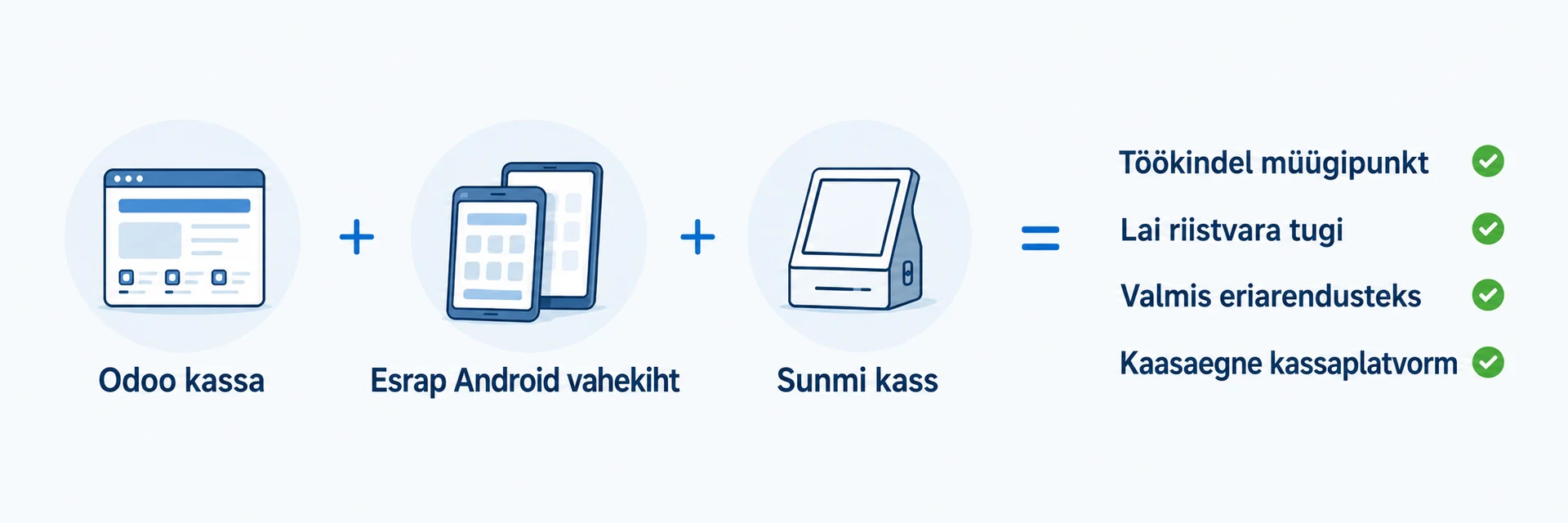
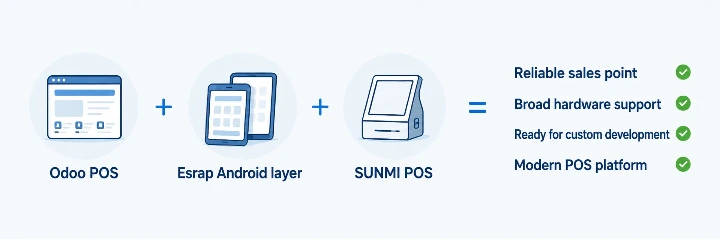
This is where Android-based SUNMI POS devices become relevant. Android gives the device a flexible operating platform, SUNMI provides hardware designed for point-of-sale use, and Esrap helps connect Odoo POS, SUNMI devices and the required peripherals into one manageable solution.
This article gives a practical overview of Odoo POS, the benefits of Android-based POS devices, SUNMI hardware and Esrap's solution, to help choose a POS system for the daily work of a physical sales location.
What is Odoo POS?
The major value of Odoo POS is its connection with other business processes. Products, stock, customer information, loyalty, eCommerce, reporting and accounting can work in the same system. Sales made at the till are therefore not left as a separate data island, but become part of the company's wider management process.
In daily use, Odoo POS helps process sales quickly, use different payment methods, manage cashiers, apply discounts and loyalty rules, and continue selling during a temporary internet outage. When the connection is restored, sales made in the meantime can synchronise with the system.
Odoo POS can run on different devices and can be connected to the hardware required at the till, such as a receipt printer, barcode scanner, payment terminal, scale, cash drawer and customer display. The software provides a common sales logic, but the final user experience depends on how well the device, hardware and support have been chosen.
Why POS hardware matters with Odoo
This is why the partner's role matters. Esrap helps assess the sales point, choose a suitable SUNMI device, configure Odoo POS and connect the required peripherals so that the cashier's work is fast and manageable.
Why SUNMI POS devices?
The advantage of SUNMI POS devices is that they are not ordinary tablets or general-purpose computers around which the sales point has to be built separately. They are devices designed for business use, where the touchscreen, printer, scanner, customer display and required connections can be part of the same workstation. This helps reduce the number of separate components, cables and settings, and makes the sales point simpler for staff.
For Odoo POS, this matters because the device has to support a fast and smooth sales process. If the cashier can sell, scan, print and show information to the customer on the same device, the whole POS experience is easier to use. For example, the SUNMI D3 Mini combines a printer, scanner, NFC reader, and different printer and customer display options in a compact desktop terminal.
SUNMI's value is not limited to hardware. The devices are supported by platform and management services that help with implementation and day-to-day administration. SUNMI OS 4.0 provides a software layer tailored for business use, including printer, scanner and second-screen services. SUNMI DMP allows devices to be managed, grouped, configured, supplied with applications, updated in a controlled way and, when needed, supported remotely.
For a company, this means that a SUNMI POS device is not simply an Android device with a screen. It is a tool designed for point-of-sale use, and its value becomes clear when Odoo POS, the device hardware and the required peripherals are planned together.
Esrap's Android device layer for Odoo POS
The value of the device layer becomes clear when Odoo POS has to use physical devices in the daily sales process, not only display a sales screen. The sales point becomes easier to manage: the device opens with the correct Odoo POS, and the printer, cash drawer, scanner and customer display are connected to the same POS process.
Esrap as a complete-solution partner
For the customer, it is important that sales do not get stuck behind technical choices. Esrap helps implement the solution, test it against the actual workflow and provide support after launch. The company does not have to solve the compatibility of software, devices, connections and working practices alone.
Who is this solution suitable for?
Jaekaubandus ja teenindusletid
Kohvikud, restoranid ja kiirteenindus
Kioskid, pop-up müük ja liikuvad müügikohad
Ettevõtted, kellel on erivajadused või olemasolev riistvara
The solution is also suitable when the POS process does not fit a standard pattern. Esrap can map existing hardware, assess its usability with Odoo POS and build the required integrations or custom developments. This allows the company to move towards a more modern POS solution step by step, replacing only what actually needs to change.
When should you replace your POS solution?
It is worth considering a new POS solution when the current system still works, but using it requires too much manual work, workarounds or acceptance of technical limitations. If sales, stock, eCommerce and reporting do not move in the same system, the company has to spend time copying, checking and correcting data.
The need for a new POS solution also becomes clear when the existing solution limits hardware choice. Some POS systems support only certain or older devices, forcing the company to use expensive, outdated or hard-to-replace hardware. A more modern solution gives more freedom to choose POS devices that fit the workplace, service process and budget.
It is also worth reviewing the POS solution when further development and running costs have become too high. If every small change, integration or workflow improvement requires an unreasonable amount of time and money, it may be more sensible to move to a solution that can be developed more flexibly and connected with the company's other business processes.
Repeated technical issues are another important warning sign. If printers, scanners, cash drawers, payment terminals or the POS itself cause problems that interrupt sales, the issue is no longer only technical convenience. In that situation, the POS solution directly affects the business, service quality and customer experience. It becomes especially difficult when support for the existing solution is slow, incomplete or does not provide lasting fixes.
The goal of introducing a new POS solution is not to replace everything that already works. Esrap helps assess existing hardware and workflows, connect usable devices to the new solution and recommend replacement only where it creates real value for the company.
Find suitable hardware and a manageable solution for Odoo POS
Contact Esrap and we will discuss which Odoo POS solution fits your sales environment, from assessing existing hardware to new SUNMI devices, the Odoo device layer, custom developments and ongoing support.